SQL Compare
Compare two SQL queries or files side by side and see which differences are formatting, structural, or potentially semantic.
- PostgreSQL
- MySQL
- Diff
- Browser-only
Developer workbench
Practical utilities and technical experiments for the everyday work of building, debugging, and shipping software.
# What is on the workbench right now
tools:
  - name: sql-compare
    status: live
    runs: in-browser
    url: sql-compare.allofcode.com
scripts: []  # published once tested
labs: []     # added when ready
Featured tool
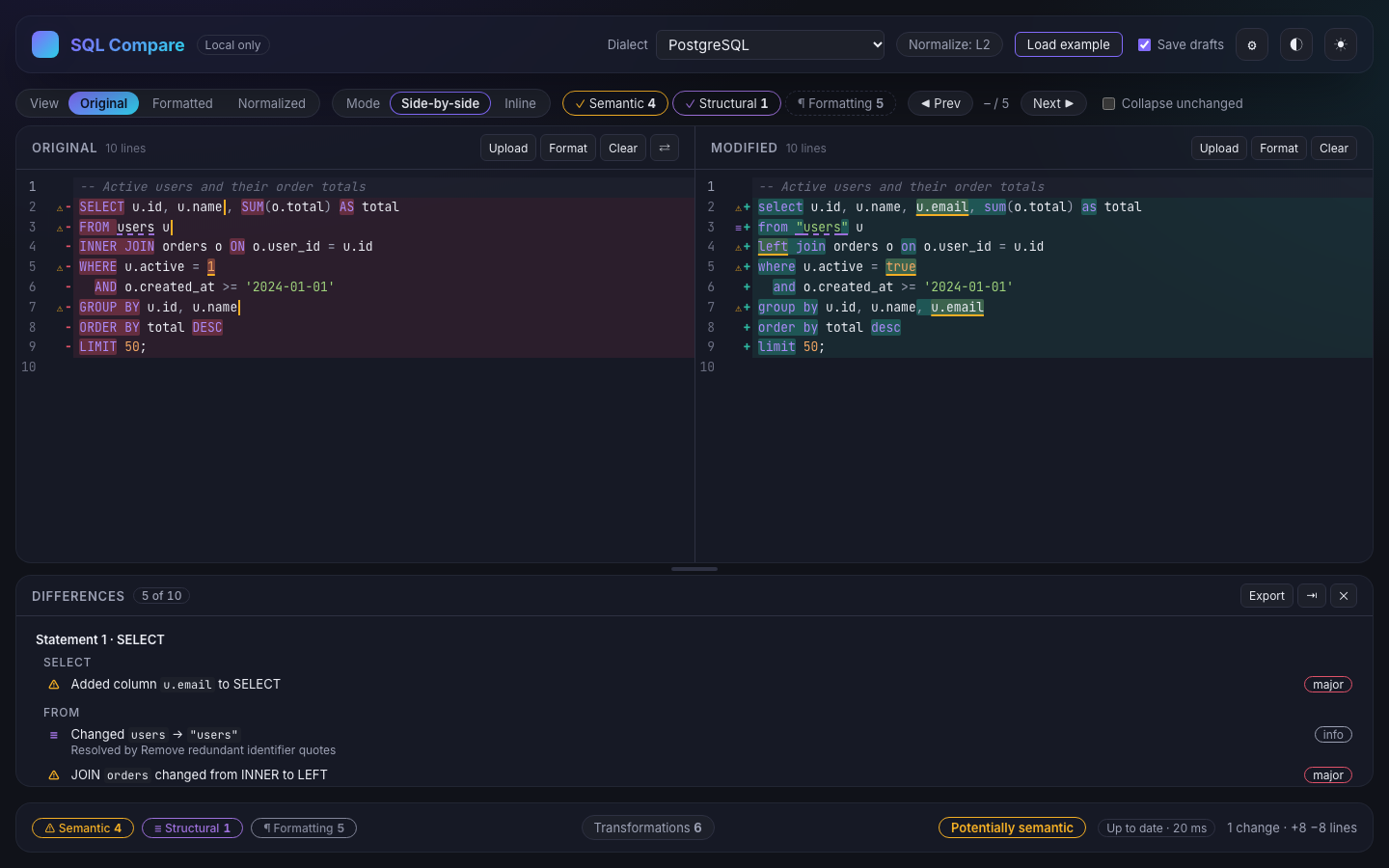
Two versions of a query look different. Is it just formatting, or did the meaning change? SQL Compare puts both side by side and labels every difference, so you review the changes that matter first.
Tools directory
Every tool listed here is live. Each one has its own page explaining what it does and where its limits are.
Compare two SQL queries or files side by side and see which differences are formatting, structural, or potentially semantic.
Scripting zone
Small, focused scripts for the chores that come up again and again: cleaning up a repo, checking a database, wiring a quick automation.
No scripts are published yet. Each one will get its own page and will only go up once it has been tested.
Hacker zone / Labs
The Lab is where ideas get taken apart to see how they work. Nothing is published there yet; this is what it is for.
Small, hands-on explanations of how something works under the hood.
Measured comparisons, with the method and numbers published.
Ways to see structure, data flow or diffs instead of reading them.
Rough ideas for developer tooling, shared before they become tools.
Educational material and testing utilities for systems you own.
policy “Hacker” here means curiosity and building things. Security content on AllOfCode is educational and defensive. It is not for getting into systems you aren't authorised to access.
Why AllOfCode
Each tool starts from a task developers repeat, such as reviewing SQL changes before they ship.
No accounts and no setup. A tool should be useful within the first minute.
When a tool can run in your browser, it does. SQL Compare never sends your SQL to a server.
Tool pages say what is not supported as clearly as what is, so you know when to reach for something else.
Have two versions of a query to review?